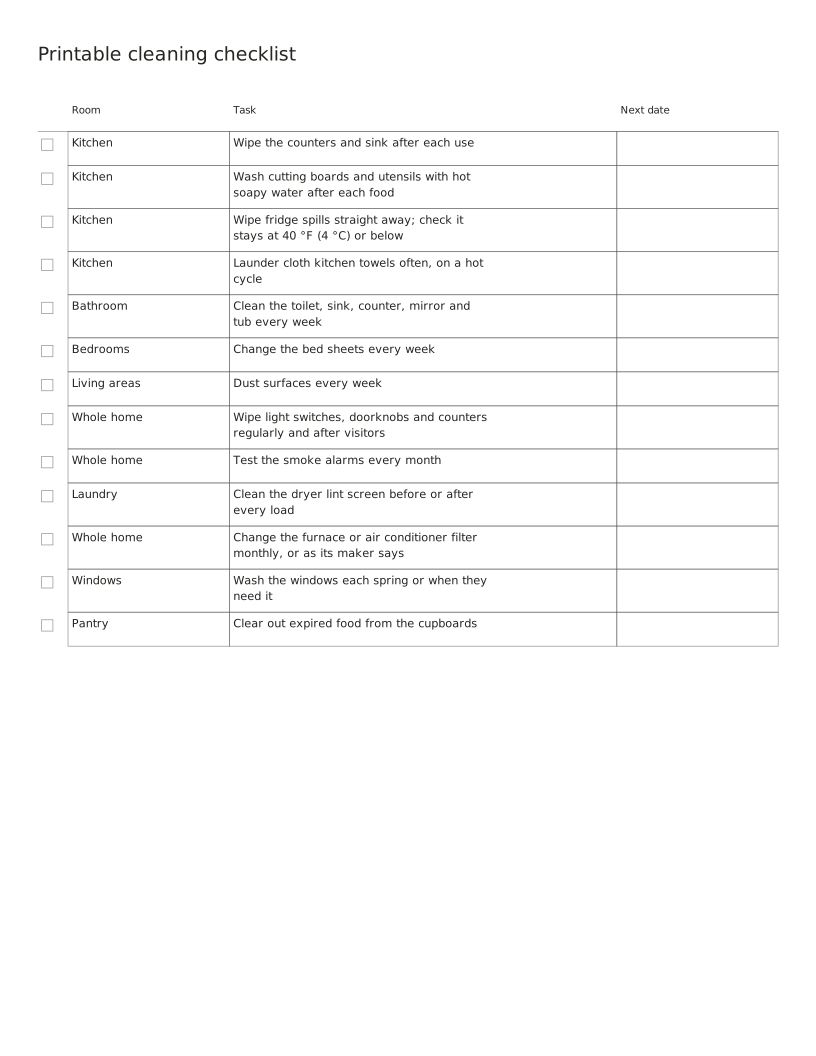
Printable cleaning checklist
A cleaning checklist by room: the everyday kitchen and bathroom jobs, the weekly ones, and the safety checks that have a set schedule, such as testing smoke alarms every month. Edit the rows for your home, then print.
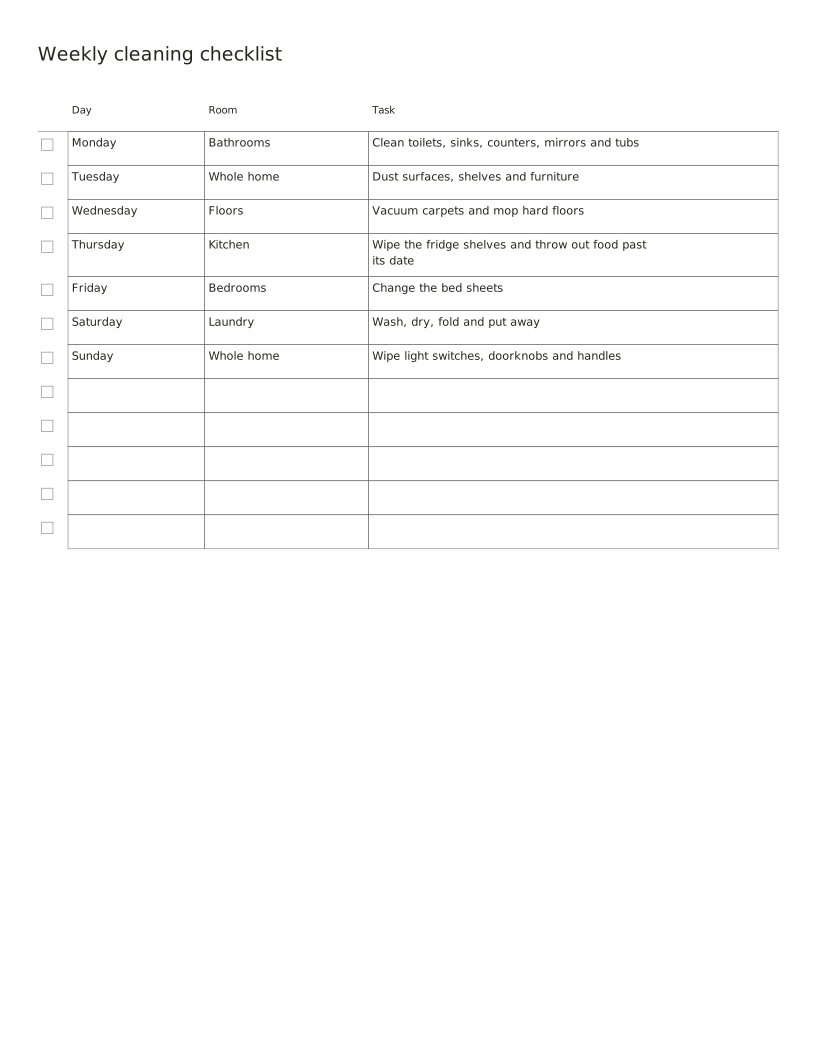
One room or job for each day, so the weekly cleaning never piles up. The jobs are the weekly ones in the University of Florida extension guide; move them to the days that suit you.
Adding keeps this sheet’s settings and entries in this tab. Clear the refill selection or close the tab to remove them.
Free · No account, email or watermark. Print at 100% or Actual size.
A zero margin can be clipped by a printer that cannot print to the edge.
1 PDF page · us-letter · portrait
Default PDF · Free to print and share copies · Check print size
The rows are a starting list. Change, delete or add rows in the entries box: one row per line, with a vertical bar between columns. A row in capitals prints as a heading without a checkbox.
A cleaning checklist by room: the everyday kitchen and bathroom jobs, the weekly ones, and the safety checks that have a set schedule, such as testing smoke alarms every month. Edit the rows for your home, then print.
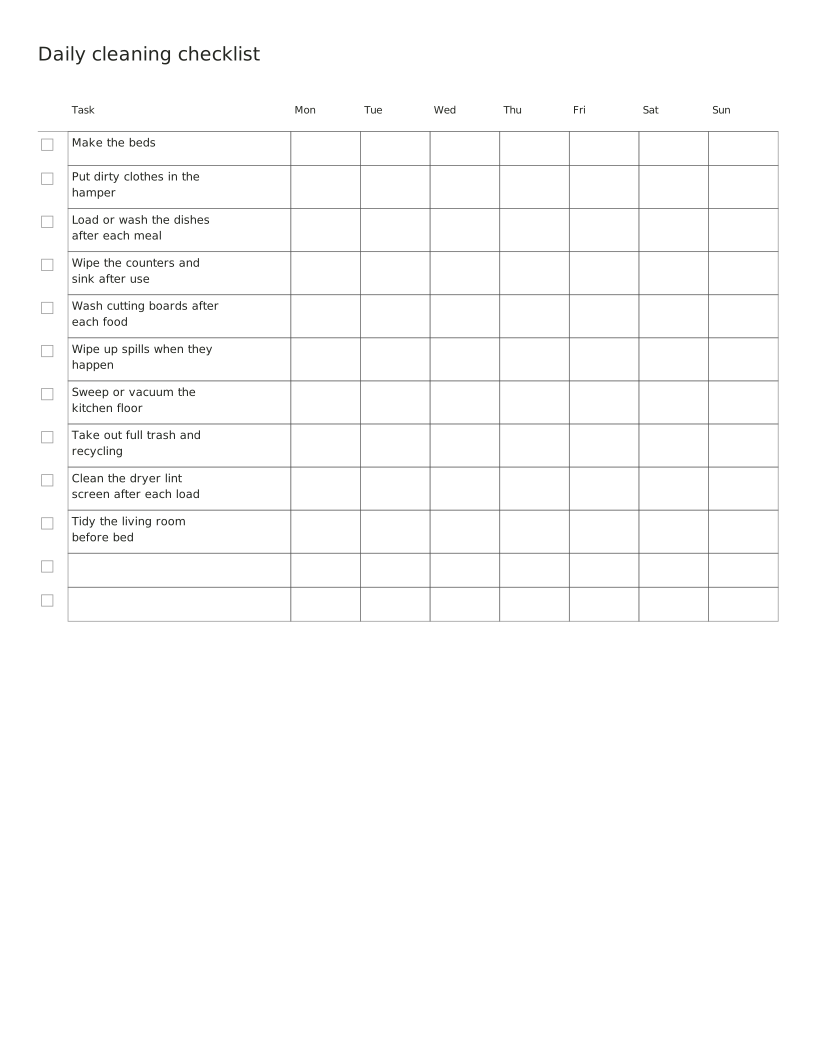
The small jobs that keep a home under control, one row each, with a box for every day of the week. Tick each day you do it.
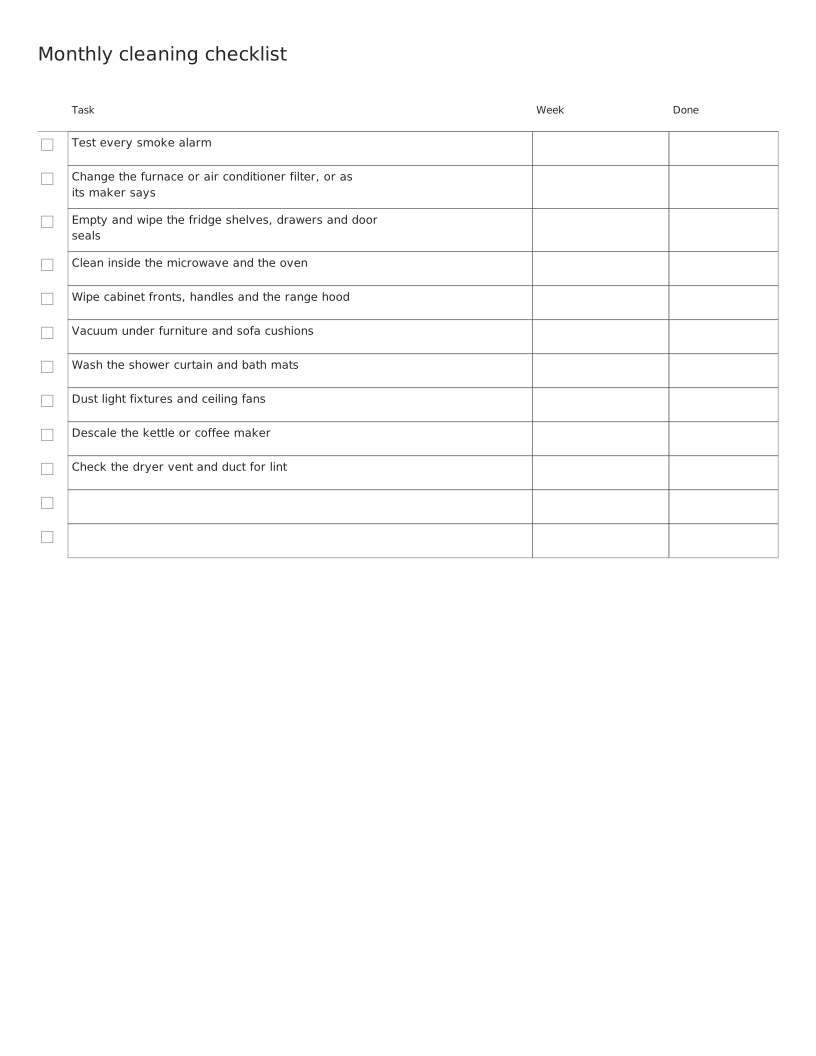
Jobs that come round once a month, with a column to write the week you plan to do each one. Testing smoke alarms and changing the furnace filter are on the monthly schedule their safety guidance gives.
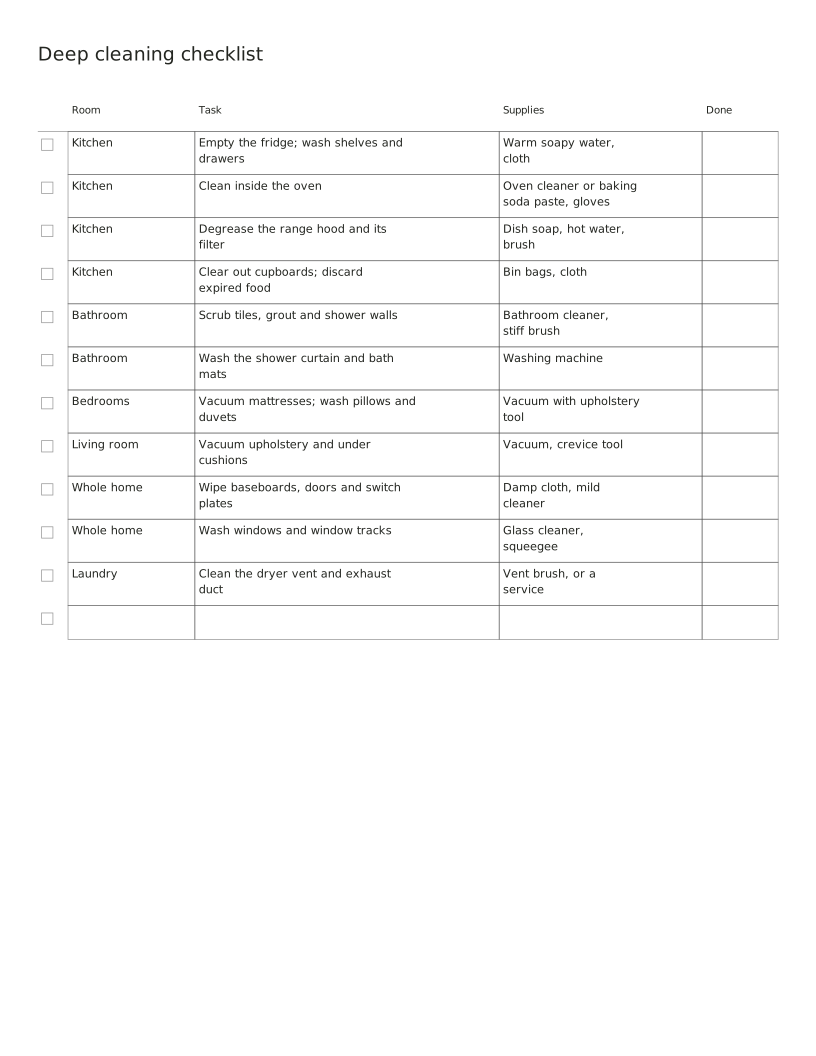
A deep clean, room by room, with the supplies each job needs so you can gather them first. Pick one room a day or do the whole list over a weekend.
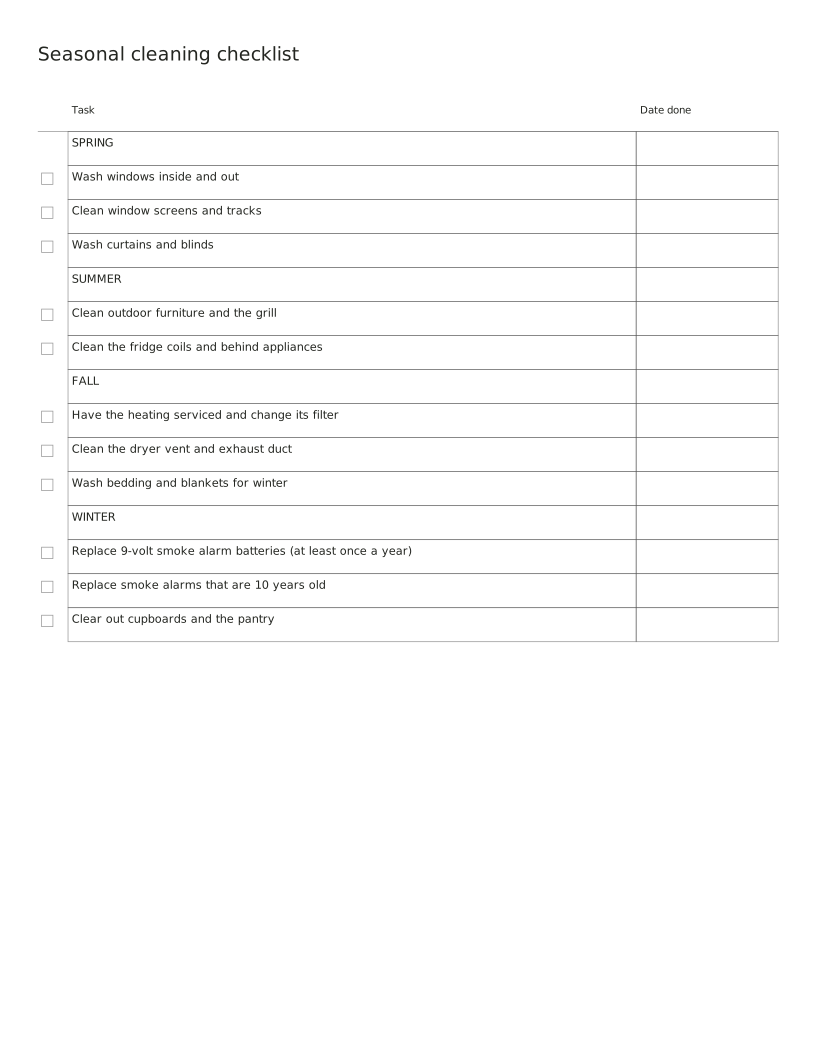
Cleaning and upkeep that belongs to a season, with a column for the date you did it. Some rows are once-a-year safety jobs, such as changing the battery in a 9-volt smoke alarm.
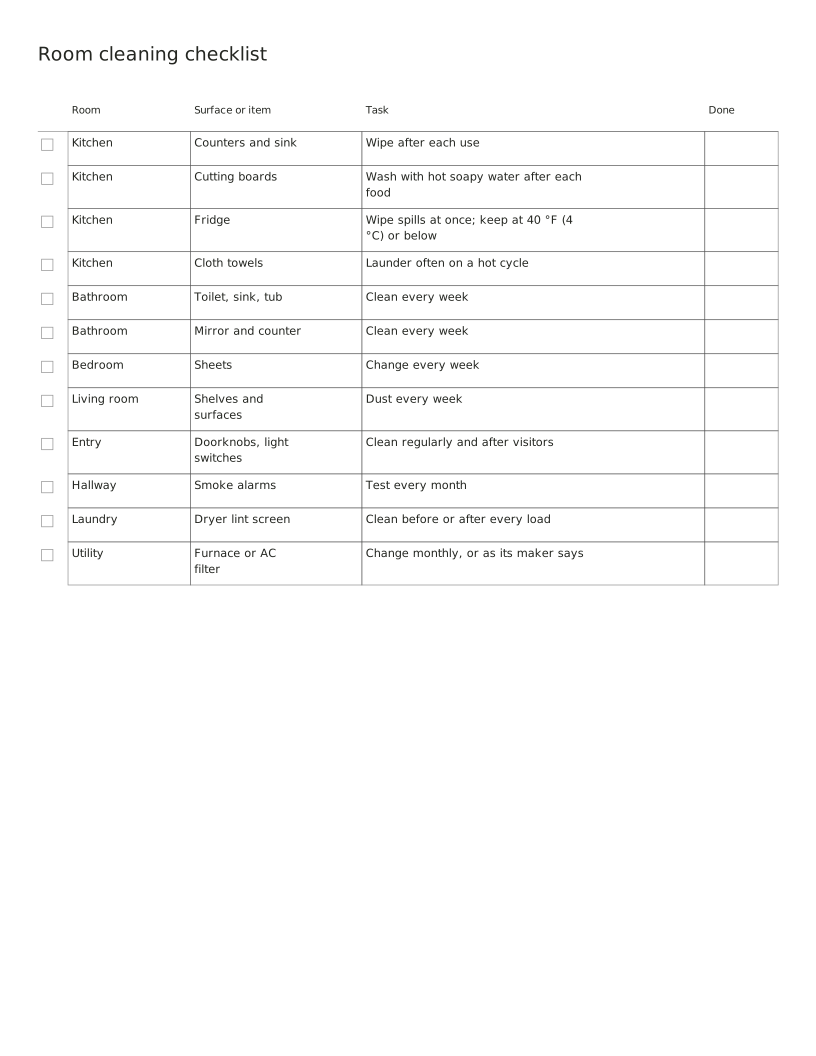
Every room with the surfaces and items to clean in it, and how often the safety and food-hygiene ones need doing. Tick them off as you go.
No sheets match that search.
Use the same paper size in the PDF and printer settings. Choose Actual size or 100%. Print a sample before making copies.